
Best Cloud Storage Services Compared (2026)
We compare the best cloud storage services of 2026 on pricing, free storage, encryption and collaboration — with India pricing — so you can pick the right one first time.
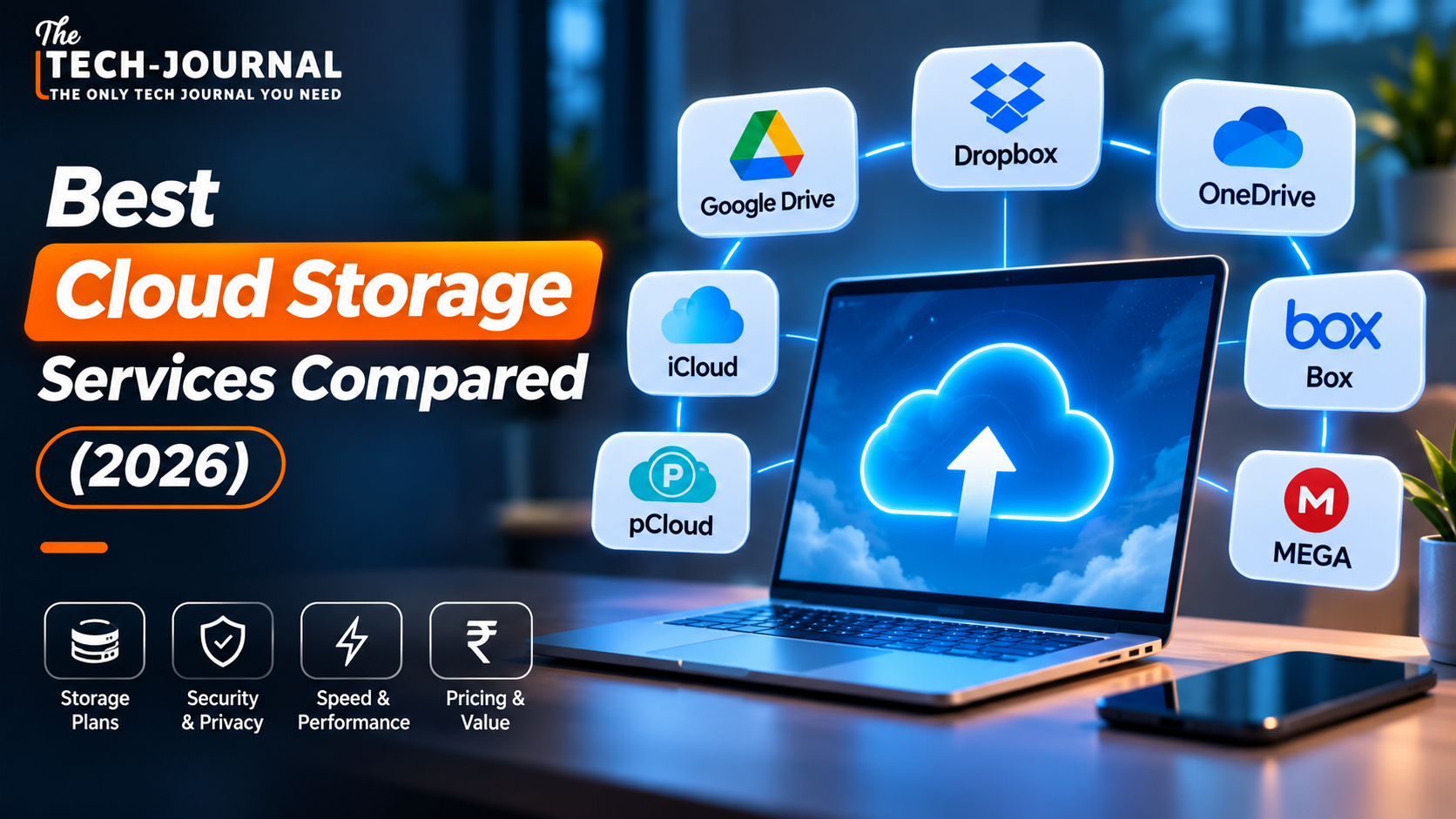
Cloud storage has quietly become one of the most essential utilities in our digital lives — as important as the internet connection itself. Whether you are a student backing up assignments, a photographer archiving thousands of RAW files, a remote worker collaborating on documents in real time, or a family trying to safely store memories and device backups, there is a cloud storage service designed exactly for your needs.
But choosing the right one is no longer simple. In 2026, there are more options than ever — and the differences between them go far beyond raw storage size. Pricing models, encryption standards, file versioning, collaboration tools, platform compatibility, and even where your data physically lives on a server have all become critical decision points.
In this comprehensive guide, we compare the best cloud storage services of 2026 — covering Google Drive, Microsoft OneDrive, Dropbox, Apple iCloud, pCloud, MEGA, IDrive, and Sync.com. We break down their pricing, free storage, key features, security posture, and ideal use cases so you can make the right choice without second-guessing.
Why Choosing the Right Cloud Storage Matters in 2026
Most people pick a cloud storage service once and stick with it for years. Migrating your data, sharing links, restructuring folder permissions, or switching apps mid-workflow is genuinely painful — which makes the initial choice far more consequential than it appears.
Here is what has changed in 2026 that makes this comparison especially relevant:
- AI integration: Google Drive now includes Gemini AI, OneDrive has Copilot, and Dropbox is rolling out its own AI assistant — meaning your cloud storage is becoming a smart search and productivity layer, not just a file cabinet.
- Privacy laws: GDPR enforcement in Europe, India's Digital Personal Data Protection Act (DPDP), and growing awareness of government data requests have made end-to-end encryption a real differentiator.
- Lifetime plans: pCloud and IceDrive now offer compelling one-time lifetime plans that beat the long-term cost of monthly subscriptions by a wide margin.
- Free tier squeeze: Google, Apple, and Microsoft have kept their free tiers frozen at 15GB, 5GB, and 5GB respectively for years — while storage needs have grown significantly.
- Remote work permanence: With hybrid work now standard, real-time collaboration and reliable sync across devices have become table-stakes requirements, not nice-to-haves.
Quick Overview: Best Cloud Storage Services at a Glance
|
Service |
Free Storage |
1TB Price/Year |
Best For |
End-to-End Encryption |
|
Google Drive |
15 GB |
~$120/yr (2TB) |
Google Workspace users |
No (optional) |
|
Microsoft OneDrive |
5 GB |
$99.99/yr (1TB + Office) |
Windows & Office users |
No |
|
Apple iCloud+ |
5 GB |
$9.99/mo (2TB) |
Apple device users |
Optional (ADP) |
|
Dropbox |
2 GB |
$119.88/yr (2TB) |
Team file sharing |
No |
|
pCloud |
Up to 10 GB |
$99.99/yr (2TB) |
Value & lifetime plans |
Optional (paid add-on) |
|
MEGA |
20 GB |
€99.99/yr (2TB) |
Privacy-focused users |
Yes (default) |
|
IDrive |
10 GB |
$69.65/yr (5TB) |
Multi-device backup |
Optional |
|
Sync.com |
5 GB |
$8/mo (2TB) |
HIPAA/GDPR compliance |
Yes (zero-knowledge) |
1. Google Drive — Best for Everyday Users and Collaboration
Free Storage & Pricing
Google Drive offers 15GB of free storage shared across Gmail, Google Photos, and Drive — the most generous free tier among mainstream providers. Paid plans are under Google One:
- 100GB: ₹130/month or ₹1,300/year in India
- 200GB: ₹210/month or ₹2,100/year
- 2TB: ₹650/month or ₹6,500/year
- AI Premium (2TB + Gemini Advanced): $19.99/month (global)
Key Features
|
Feature |
Detail |
|
Collaboration |
Real-time co-editing in Google Docs, Sheets, Slides |
|
AI Integration |
Gemini AI for search, summarisation, and smart compose |
|
Offline Access |
Yes — via Chrome extension or mobile app |
|
File Versioning |
30 days for Docs; 180 days for other files |
|
Sharing |
Link sharing with view/comment/edit permissions |
|
Security |
AES-256 at rest, TLS in transit; no end-to-end encryption |
|
Platform Support |
Web, Android, iOS, Windows, macOS |
The biggest strength of Google Drive is its browser-based collaboration — no software to install, no version conflicts, and real-time editing that genuinely rivals Microsoft Office Online. For students, freelancers, and teams already using Gmail, it is the obvious first choice. Learn more about Google Drive on the official website.
Drawbacks
- Your 15GB free storage fills up faster than you think — Gmail, Photos, and Drive all share the same pool.
- No end-to-end encryption. Google can technically access your files.
- Pricing in India is competitive, but the AI Premium plan is expensive.
Best For
Students, freelancers, and teams already in the Google ecosystem. Anyone who works heavily in Google Docs, Sheets, or Slides will find Drive indispensable.
2. Microsoft OneDrive — Best for Windows and Microsoft 365 Users
Free Storage & Pricing
OneDrive gives 5GB of free storage to all Microsoft account holders. The real value unlocks when bundled with Microsoft 365:
- 100GB standalone: $19.99/year
- Microsoft 365 Personal (1TB + Office apps): $99.99/year — the best value deal in cloud storage
- Microsoft 365 Family (6TB shared + Office for 6 users): $129.99/year
Key Features
|
Feature |
Detail |
|
Windows Integration |
Built into Windows 10/11; AutoSave in Office apps |
|
AI Integration |
Microsoft Copilot for file search and document drafting |
|
Collaboration |
Real-time co-authoring in Word, Excel, PowerPoint Online |
|
File Versioning |
Up to 30 days on personal; 180 days on Business plans |
|
Mobile Apps |
Polished iOS and Android apps with document scanner |
|
Security |
AES-256 at rest, TLS in transit; Personal Vault with 2FA |
|
Offline Sync |
Selective sync for large libraries |
If you use Windows, OneDrive is already installed on your PC. The Microsoft 365 Personal plan — which includes 1TB of OneDrive storage plus full desktop Office apps (Word, Excel, PowerPoint, Outlook) — costs the same $99.99/year as Google's 2TB AI Premium plan. That is extraordinary value for anyone doing serious productivity work.
See all Microsoft OneDrive plans here.
Drawbacks
- macOS and Linux support is functional but noticeably weaker than on Windows.
- No end-to-end encryption even on paid plans (Personal Vault adds 2FA, not full E2E).
- The 5GB free tier is too small for most users.
Best For
Windows users, Microsoft 365 subscribers, enterprise employees, and anyone who works daily in Word, Excel, or PowerPoint. The Microsoft 365 Personal bundle is unbeatable value.
3. Apple iCloud+ — Best for Apple Device Owners
Free Storage & Pricing
Apple gives 5GB free with every Apple ID. iCloud+ plans:
- 50GB: ₹75/month in India
- 200GB: ₹219/month
- 2TB: ₹749/month (shareable with up to 5 family members)
Key Features
|
Feature |
Detail |
|
Device Integration |
Seamless sync across iPhone, iPad, Mac, and Apple Watch |
|
iPhone Backup |
Automatic full device backups over Wi-Fi |
|
Advanced Data Protection |
Optional E2E encryption for backups, photos, and notes |
|
iCloud Drive |
File storage accessible via browser or native apps |
|
Hide My Email |
Generate private email addresses (iCloud+ feature) |
|
Private Relay |
VPN-like browsing privacy in Safari (iCloud+ feature) |
|
Family Sharing |
2TB plan shareable with 5 family members |
Apple's Advanced Data Protection — introduced in iOS 16.2 and now enabled by default on newer devices — brings genuine end-to-end encryption to iCloud backups, photos, notes, and Safari data. This makes iCloud one of the more private options for Apple users who enable it.
Drawbacks
- Entirely Apple-centric. Using iCloud on Windows is functional but clunky; there is no Android app.
- Storage is shared between device backups, photos, and iCloud Drive — it fills up quickly.
- No collaboration tools beyond basic iWork sharing.
Best For
Households with multiple Apple devices. If everyone in your family uses iPhone and Mac, the ₹749/month 2TB family plan is excellent value for seamless automatic backups and photo sync.
4. Dropbox — Best for File Sharing and Team Collaboration
Free Storage & Pricing
Dropbox's free plan gives only 2GB — the smallest of any mainstream service. It makes up for it with the richest feature set for teams:
- Plus (2TB): $11.99/month ($119.88/year)
- Essentials (3TB): $22/month
- Business (9TB): $20/user/month (min 3 users)
- Business Plus (15TB): $26/user/month
Key Features
|
Feature |
Detail |
|
Smart Sync |
Access cloud files without downloading them |
|
Shared Folders |
Real-time collaborative folders with granular permissions |
|
File Requests |
Request files from anyone — even non-Dropbox users |
|
Version History |
30 days (Plus); 180 days (Business) |
|
Dropbox Dash AI |
Unified search across all connected apps |
|
Paper |
Collaborative document creation within Dropbox |
|
Transfer |
Send up to 100GB files without a Dropbox account |
Dropbox pioneered modern cloud sync and still leads in one area: cross-platform reliability. Whether you are on Windows, macOS, Linux, iOS, or Android, Dropbox sync is consistent and fast. Its Dash AI search — which unifies results from Google Drive, Slack, Notion, Gmail, and more — is a genuinely useful productivity layer. See Dropbox plans and pricing.
Drawbacks
- The 2GB free tier is essentially unusable in 2026.
- Premium plans are the most expensive per GB among mainstream services.
- No end-to-end encryption even on paid plans.
Best For
Teams, agencies, and freelancers who collaborate heavily — sharing files with clients, requesting uploads, and working across multiple tools. The Dash AI integration is a unique advantage for power users.
5. pCloud — Best Value and Lifetime Plans
Free Storage & Pricing
pCloud offers up to 10GB free (through setup tasks and referrals). Its pricing model is unique — you can pay annually or once for a lifetime:
- 500GB (annual): $49.99/year
- 2TB (annual): $99.99/year
- 500GB (lifetime): $199 one-time
- 2TB (lifetime): $399 one-time
- 10TB (lifetime): $1,190 one-time
Key Features
|
Feature |
Detail |
|
Block-Level Sync |
Only changed portions of files are re-uploaded |
|
pCloud Drive |
Virtual drive mounted on your PC — no local copies needed |
|
Offline Access |
Mark files for offline use on mobile |
|
pCloud Crypto |
Optional client-side E2E encryption add-on |
|
Media Streaming |
Stream video and audio directly from pCloud |
|
Version History |
30 days standard; 1-year with Extended History add-on |
|
Platforms |
Windows, macOS, Linux, iOS, Android, web |
The lifetime plan is pCloud's standout feature. If you pay $399 once for 2TB, you break even against the $99.99/year plan in just 4 years — and then pay nothing for life. For long-term value, no mainstream cloud storage service comes close. See pCloud pricing and lifetime plans.
Drawbacks
- End-to-end encryption (Crypto) is an additional paid add-on — not included by default.
- No built-in document collaboration tools like Google Docs or Office Online.
- Free 10GB requires completing setup steps — not instant.
Best For
Individuals and families who want long-term value, media storage with streaming, or a genuinely portable file vault. The lifetime plan is the best deal in cloud storage for anyone planning to use it for 4+ years.
6. MEGA — Best for Privacy and Maximum Free Storage
Free Storage & Pricing
MEGA offers the largest free storage at 20GB — four times more than Google Drive and ten times more than Dropbox. Paid plans:
- Pro I (2TB storage + 2TB transfer): €9.99/month (€99.99/year)
- Pro II (8TB + 8TB transfer): €19.99/month
- Pro III (16TB + 16TB transfer): €29.99/month
Key Features
|
Feature |
Detail |
|
Default E2E Encryption |
All files encrypted in-browser before upload |
|
Zero-Knowledge |
MEGA cannot read your files or file names |
|
MEGAchat |
End-to-end encrypted chat and video calls |
|
MEGA Transfer |
Send large files securely to anyone |
|
Version History |
90 days on paid plans; 30 days free |
|
Platforms |
Web, Windows, macOS, Linux, iOS, Android |
|
Transfer Quota |
Monthly transfer limit applies (upload is free) |
MEGA is unique in that end-to-end encryption is on by default — your files are encrypted in your browser before they even leave your device. MEGA's servers literally cannot read your files. This makes it the go-to choice for journalists, lawyers, healthcare workers, and privacy-conscious individuals. Visit MEGA.nz.
Drawbacks
- Monthly download/transfer quota on the free plan can be restrictive.
- Not as polished as Google Drive or OneDrive for everyday use.
- Pricing is in euros, which fluctuates for Indian users.
Best For
Privacy-first users, professionals handling sensitive client files, and anyone who wants the maximum free storage without paying anything upfront.
7. IDrive — Best for Multi-Device Backup
Pricing
- Personal 5TB: $69.65/year (first-year deals as low as $4.98)
- Personal 10TB: $104.65/year
- Team 5TB: $74.62/year for 5 users
IDrive is not a file sync service like Google Drive — it is a dedicated cloud backup service, and it excels at that specific job. It backs up unlimited devices (PCs, Macs, iPhones, Androids, NAS drives) under a single plan, with 30 versions of every file retained. IDrive backup plans and pricing.
Best For
Small businesses, power users with multiple devices, and IT-conscious individuals who want a dedicated backup solution rather than a file sync service. The 5TB plan at under $70/year is extraordinary value.
Cloud Storage Security: Which Service Protects Your Files Best?
Security is the most misunderstood aspect of cloud storage. Here is a plain-language breakdown of what each level of encryption actually means:
Standard Encryption (AES-256 at rest + TLS in transit)
Used by: Google Drive, OneDrive, Dropbox, pCloud (default), iCloud (without Advanced Data Protection).
What it means: Your files are encrypted on the server and during transfer — but the provider holds the decryption keys. This protects against external hackers but means the provider could technically access your files if legally compelled.
End-to-End Encryption (E2E / Zero-Knowledge)
Used by: MEGA (default), Sync.com, Internxt, pCloud Crypto add-on, iCloud with Advanced Data Protection enabled.
What it means: Your files are encrypted before they leave your device. Only you hold the key. Even if the company's servers are hacked or served with a court order, your files remain unreadable.
|
Service |
Encryption Type |
Zero-Knowledge? |
Recommended For |
|
Google Drive |
AES-256 (server-side) |
No |
General productivity |
|
OneDrive |
AES-256 (server-side) |
No |
Microsoft ecosystem |
|
iCloud+ |
AES-256 / E2E (opt-in) |
With ADP enabled |
Apple users |
|
Dropbox |
AES-256 (server-side) |
No |
Team collaboration |
|
pCloud |
AES-256 + Crypto (paid) |
With Crypto add-on |
Value + privacy combo |
|
MEGA |
AES-128 (default E2E) |
Yes |
Privacy-first |
|
Sync.com |
AES-256 E2E |
Yes |
HIPAA/GDPR compliance |
|
IDrive |
AES-256 + private key |
Optional |
Multi-device backup |
Cloud Storage in India: What You Need to Know
For Indian users, a few additional considerations apply:
- Google One pricing in India is significantly cheaper than global rates — the 2TB plan is ₹650/month versus $9.99/month ($119.88/year) globally. This makes Google One one of the best value options for Indian users.
- Apple iCloud in India costs ₹749/month for 2TB — extremely competitive for Apple device owners.
- DPDP Act compliance: India's Digital Personal Data Protection Act came into effect in 2024. Services like MEGA and Sync.com, with zero-knowledge encryption, are inherently compliant since even they cannot access your data.
- Server locations: Most major providers do not have India data centres — data is typically stored in Singapore, the US, or Europe. For sensitive business data, check the data residency policy of your chosen provider.
- Bandwidth and sync speeds: With India's broadband infrastructure maturing rapidly (Jio Fibre, Airtel Xstream), cloud sync speeds are no longer a significant bottleneck for most users.
For more tech guides relevant to Indian users, visit The Tech Journal.
Which Cloud Storage Service Is Right for You?
Best Free Cloud Storage
MEGA wins with 20GB free storage and default end-to-end encryption — the best combination of capacity and security at no cost.
Best Value for Indian Users
Google One at ₹650/month for 2TB, combined with the best collaboration tools in the market, makes it the strongest value option for most Indian users.
Best for Windows & Office Users
Microsoft OneDrive bundled with Microsoft 365 Personal at ₹4,900/year (India pricing) gives 1TB of storage plus full Office apps — an unbeatable combination.
Best Lifetime Plan
pCloud's 2TB lifetime plan at $399 is the best long-term investment in cloud storage. After 4 years you pay nothing — forever.
Best for Privacy
MEGA for free users, Sync.com for businesses needing HIPAA/GDPR compliance, and iCloud with Advanced Data Protection enabled for Apple users.
Best for Teams and Businesses
Dropbox Business or Microsoft OneDrive for Business — both offer deep integration with productivity suites, granular permission controls, and reliable cross-platform sync.
Best for Backup (not just sync)
IDrive at $69.65/year for 5TB with unlimited devices is in a class of its own for comprehensive backup needs.
Frequently Asked Questions: Cloud Storage
Which cloud storage is completely free?
MEGA offers the largest completely free tier at 20GB with default end-to-end encryption. Google Drive offers 15GB free, pCloud up to 10GB, and IDrive 10GB.
Is Google Drive safe for sensitive documents?
Google Drive uses AES-256 encryption at rest and TLS in transit, which is strong protection against external attacks. However, it is not end-to-end encrypted — Google holds the encryption keys. For truly sensitive documents, MEGA, Sync.com, or pCloud Crypto are safer choices.
Which is better: Google Drive or OneDrive?
For Google Workspace users and document collaboration, Google Drive is better. For Windows users and those who already pay for Microsoft 365, OneDrive is the clear winner — especially as the Office apps are included in the same subscription.
Is iCloud storage worth it in India?
For iPhone and Mac users in India, iCloud is very cost-effective — ₹749/month for 2TB (shareable with 5 family members) is competitive pricing. With Advanced Data Protection enabled, it also offers strong privacy.
What is the most secure cloud storage?
MEGA (default E2E encryption), Sync.com (zero-knowledge), and Internxt (post-quantum encryption) are the most secure cloud storage options available in 2026.
Is Dropbox worth the money in 2026?
Dropbox is worth it specifically for teams and freelancers who rely heavily on shared folders, file requests, and cross-tool AI search with Dash. For individual users on a budget, Google Drive or pCloud offer far better value.
Which cloud storage has no data limit?
Backblaze offers truly unlimited cloud backup (for one computer) at $99/year — but it is a backup service, not a sync/sharing service like Drive or Dropbox.
Conclusion: The Best Cloud Storage in 2026 Depends on Your Use Case
There is no single 'best' cloud storage service — but there is a best one for you.
Our final recommendations:
- Most people: Google Drive (15GB free, cheapest 2TB in India, best collaboration)
- Windows users: Microsoft OneDrive with Microsoft 365 Personal — storage and Office apps bundled
- Apple users: iCloud+ 2TB family plan with Advanced Data Protection enabled
- Privacy-focused: MEGA (20GB free, default E2E) or Sync.com
- Long-term value: pCloud 2TB lifetime at $399
- Backup needs: IDrive (5TB for $69.65/year, unlimited devices)
- Teams: Dropbox Business or OneDrive for Business
Whatever you choose, the most important step is to start using it consistently. The best cloud storage is the one you actually back up to — regularly, automatically, and without thinking about it.
For more detailed tech comparisons and guides for Indian users, explore The Tech Journal.






0 Comments